 By Editorial Team
Key Takeaways
- Build a dedicated, soundproof studio space (a room-within-a-room is best) to kill outside noise and get your acoustics right for top-tier audio in your podcast recording.
- Get your vocal booth acoustics right by putting absorption panels at your first reflection points and bass traps in the corners for a clean, balanced sound without weird reverb or boxiness.
- For video podcasts, use multiple cameras for different angles and get some professional lighting to make your show look polished and keep people watching.
- Use a quality microphone like the Neumann U87 Ai for clear vocals, and make sure you’re using it correctly with a pop filter and consistent distance to capture clean audio.
- Use a real audio interface and a digital audio workstation (DAW) like Avid Pro Tools or Adobe Audition to record, edit, and mix your audio so it sounds professional and broadcast-ready.
To get a good podcast recording, both for vocals and video, you need a solid plan that turns a raw performance into a polished final product. Getting that broadcast-quality sound and look takes more than just hitting record. You need to know your way around acoustics, gear, and post-production workflows to create a professional studio session that actually holds an audience’s attention.
Crafting the Ideal Acoustic Environment for Vocals
Great vocal recordings start with the room’s acoustics. I’ve seen it a hundred times: a bad-sounding room will tank a recording, no matter how expensive your mic is. Countless projects fail because the producer didn’t respect room reflections and reverb. The best isolation you can get is from a dedicated studio session space, preferably built with “room-within-a-room” construction, which means you build decoupled walls, ceilings, and floors. If you can’t build a custom studio, treating a regular room is your next move. Start by finding the first reflection points, the spots on your walls and ceiling where sound shoots from your mouth and bounces straight back into the microphone. An easy way to find them is with a mirror: sit where you’ll be recording, have a friend slide a mirror along the walls, and mark every spot where you can see the mic. That’s where you’ll install absorption panels. Make sure the panels, which are usually made of rockwool or Owens Corning 703, are at least 4 inches thick so they can absorb a wide range of frequencies. You also need bass traps in the corners, because that’s where low frequencies build up and make your recordings sound muddy. A common mistake is just plastering a room with absorption, which makes it sound dead and weirdly unnatural. You’re looking for balance, so adding some diffusion on the back wall can help keep some life in the room without creating bad echoes. This treatment is what gets you clean, articulate vocals, which is the whole point of making high-quality audio content.
Get smooth and event-ready
Look and feel your best for every occasion. Find a waxing studio near you and book ahead.
Find a Studio Near You →Microphone Selection and Technique for Pristine Audio
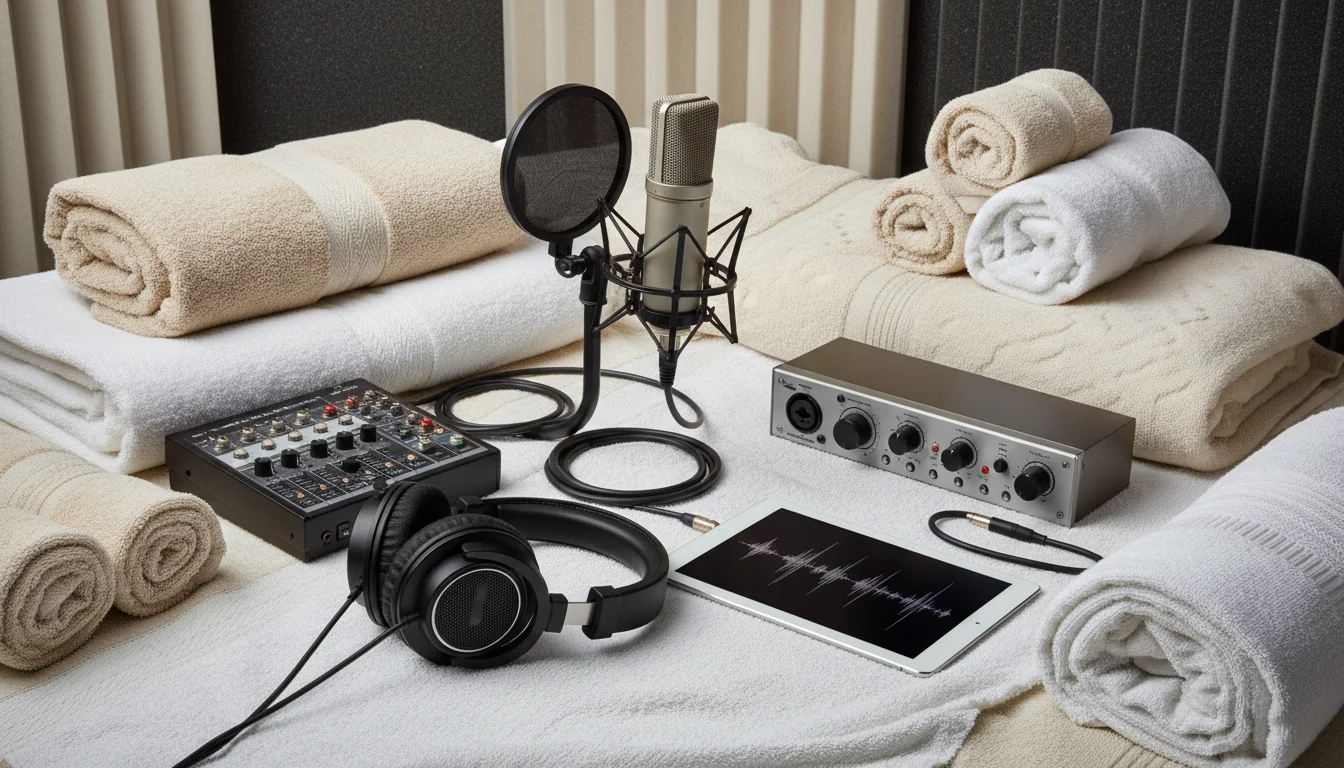
Picking the right microphone for a vocalist is everything. For studio vocals, large-diaphragm condenser mics are the standard because their sensitivity captures all the little details in a voice. The Neumann U87 Ai is a pro studio staple for a reason, giving you that rich, detailed sound. But you can get great results with cheaper mics too, like a Rode NT1 or an Audio-Technica AT2035. You just have to match the mic to the singer’s voice and the tone you’re going for. Good mic technique is just as important as the mic itself. The mic should be about 6 to 12 inches from the vocalist’s mouth and a little off to the side to help reduce plosives (those harsh “p” and “b” sounds). You absolutely have to use a pop filter. It’s the only thing that stops those hard air bursts from blasting the mic’s capsule. Staying at a consistent distance from the mic matters a lot. If the speaker moves around, you’ll get annoying volume jumps and changes in the low-end from the proximity effect (the bass boost you get when you’re right on top of the mic). Train vocalists to stay in one spot. For a podcast, a cardioid polar pattern is your best bet because it picks up what’s right in front of it and rejects noise from the sides and back, cleaning up the recording.
Visual Smoothness: Elevating Video Podcasts
By 2026, most podcasts are video shows. They’re visual experiences. When we talk about “visual smoothness,” we’re talking about a professional-looking video that works with your audio content, not against it. It takes thoughtful staging, lighting, and camera work. A multi-camera setup is a good way to go, since it lets you cut between a wide shot of everyone and individual close-ups to keep things from getting boring. People love cameras like the Blackmagic Pocket Cinema Camera 6K Pro or the Sony a7S III for their cinematic look and ability to work in low light. Honestly, lighting is often more important for the final look than what camera you’re using. A simple three-point lighting setup (key, fill, and back light) makes a huge difference. Your key light is your main light, usually set at a 45-degree angle. The fill light sits on the other side and softens the shadows from the key. Then the back light hits you from behind to separate you from the background and add depth. Always use softboxes or diffusers to get nice, even light instead of the harsh shadows you get from overhead lights. A clean background is also a must. You can use a branded backdrop or just a nice-looking set that fits your podcast’s vibe. Paying attention to these visual details is what turns a basic recording into something that looks like actual cinematic visual content.
| Factor | Acoustic Environment | Microphone Technique |
|---|---|---|
| Primary Goal | Neutral, balanced sound | Pristine, articulate audio |
| Key Treatment/Accessory | Absorption panels, bass traps | Pop filter, consistent distance |
| Placement/Distance | First reflection points (4″ thick), corners | 6-12 inches from mouth, slightly off-axis |
| Common Issue Addressed | Excessive reverb, muddiness | Plosives, volume fluctuations |
| Ideal Microphone Type | N/A | Large-diaphragm condenser (e.g., Neumann U87 Ai) |
Post-Production Workflow: From Raw to Refined
Recording is just the first part. Post-production is where you make your audio content sound great. A good workflow is how you get consistent, polished results every time, so figure one out and stick to it. You’ll need a solid digital audio workstation (DAW). The industry standards are Avid Pro Tools and Adobe Audition because they have all the tools for editing, mixing, and mastering. For video, you can’t go wrong with Adobe Premiere Pro or DaVinci Resolve. First up in audio post is the edit, where you’ll cut out all the “ums” and “ahs,” long pauses, and any flubbed lines. Use noise reduction tools, but be gentle so you don’t make the audio sound robotic. Then you’ll use EQ to shape the sound of the vocals, cutting out muddy frequencies and maybe boosting some of the highs for clarity. After that, compression evens out the volume so the quiet parts aren’t too quiet and the loud parts don’t blow out your eardrums. The final step is applying a limiter to raise the overall volume to broadcast standards (around -16 LUFS for podcasts) without letting it clip. For video, you have to sync your audio and video perfectly, color correct your shots so they all match, and add your graphics and intros. The whole point is to create a professional package that people will actually want to watch and listen to. People often rush the edit, and you can always tell. It’s a huge missed opportunity to truly improve your work.
Ensuring Data Integrity and Archiving for Future Use
Something that gets overlooked constantly in any podcast recording is data management and archiving. It’s a real kick in the teeth to spend all day on a perfect studio session and then lose the files because a hard drive died. That’s a complete nightmare, and it’s totally preventable. You need a backup plan right now. The easiest one to remember is the “3-2-1 rule”: keep three copies of your data on two different types of media, and make sure one of those copies is offsite. A simple setup would be your main working drive, a second local external drive, and a cloud service like Backblaze or Dropbox Business. You also need to organize your files. Come up with a consistent folder structure for every episode with subfolders for raw audio, raw video, project files, final exports, and music. Name your files logically, like “PodcastName_Episode01_VocalistName_RawAudio_20260715.wav”. Once an episode is done, archive the master files in a stable format, like uncompressed WAV for audio and ProRes or DNxHD for video. This ensures that if you ever need to go back and re-edit something, all your original files are there. Being proactive here will save you so much time and headaches later. Trust me, trying to piece a project back together from a messy archive is a miserable job. Getting a professional podcast recording with clear vocals and smooth video means you have to cover all your bases: acoustic treatment, gear, post-production, and data management. If you get these things right, you can put out high-quality audio content and videos that people will connect with.
What’s the best room size for a podcast studio?
There isn’t one perfect size, but a room that’s at least 10×12 feet with walls that aren’t the same length (so, not a perfect square) is a decent start. This helps reduce standing waves and gives you enough space to put up acoustic treatment. Bigger rooms are more flexible but will need more treatment to control the sound.
Do I really need an audio interface for podcasting?
Yes, an audio interface is absolutely necessary. It takes the analog signal from your mic and turns it into a digital signal your computer can use. It also gives you better microphone preamps, phantom power for condenser mics, and direct monitoring so you can hear yourself without any delay, all of which you need for professional recording.
Can I use a dynamic mic for a vocal podcast?
Yes, and they’re often a great choice. Dynamic mics like the Shure SM7B are fantastic for podcasting, especially if your room isn’t acoustically treated. They’re not as sensitive as condenser mics, so they won’t pick up as much background noise, and they have that classic warm “broadcast” sound. Just be aware they usually need a lot of gain from your audio interface.
What frame rate should I use for a video podcast?
For most video podcasts, either 24 frames per second (fps) or 30 fps is the standard. If you want a more “cinematic” look, go with 24 fps. If you prefer a smoother, more traditional “video” feel, use 30 fps. The most important thing is to pick one and stick with it for the entire project.
How do I reduce echo on a budget without expensive panels?
While proper acoustic panels are always best, you can definitely make a difference with things you already have. Hang heavy blankets or moving pads on the walls (especially the wall behind you). Throw some rugs on any hard floors. Fill up bookshelves with books to break up sound reflections. Even soft furniture like couches and pillows will help absorb sound. It’s not a perfect solution, but it’s much better than nothing.


